
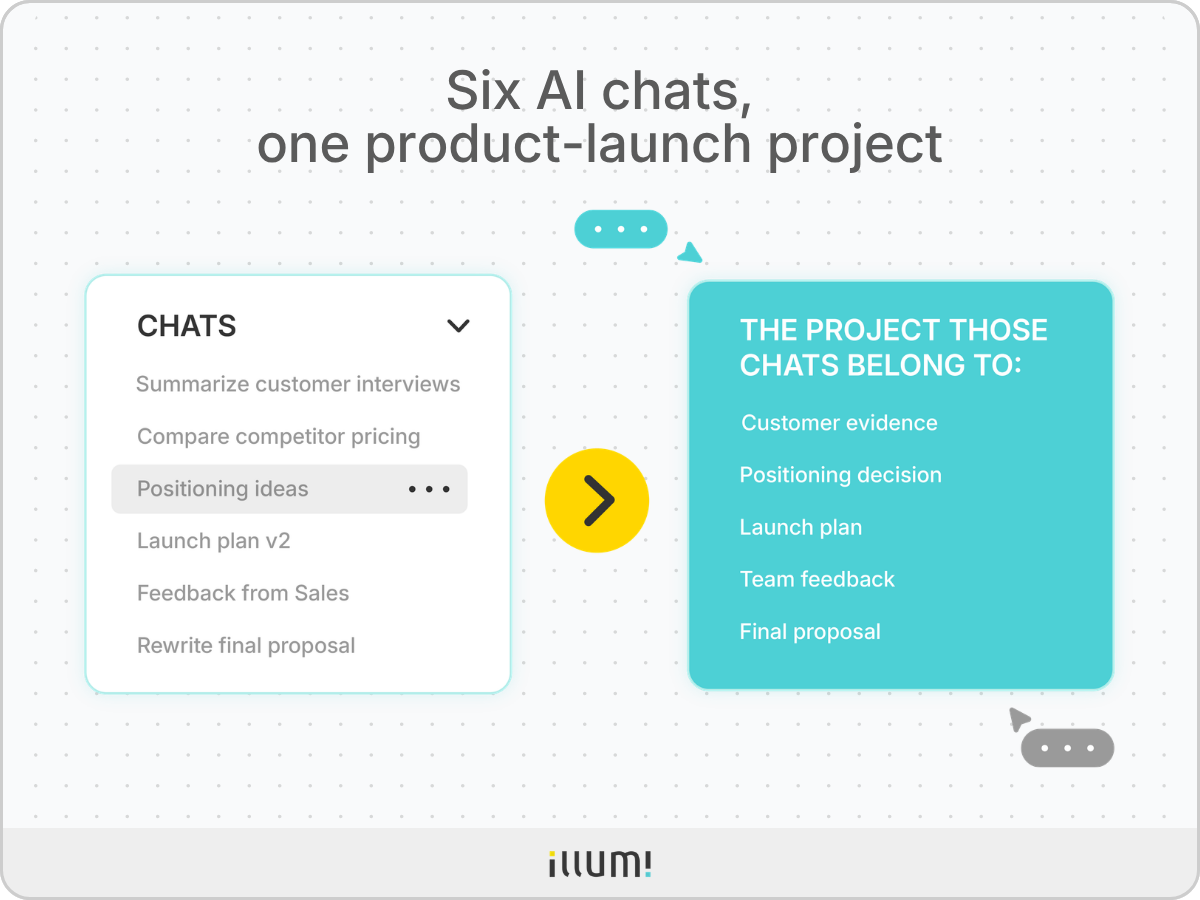
Open your AI chat sidebar after two weeks of working on a product launch and you might see conversations called:
Each conversation was useful when you created it. Together, they are supposed to represent one project.
But the sidebar doesn't show you which customer insight changed the positioning or which parts of the Sales feedback made it into the final proposal.
It shows those six conversations, and you're the one who has to remember how they fit together. That gap matters because you're asking AI to do more than answer isolated questions. You're using it throughout projects that develop over weeks or months.
Research comes in. Different directions are explored. Feedback changes the plan. And several AI outputs may contribute to one finished deliverable.
The interface needs to change with the work.
An AI chat organizes work around a conversation. An AI workspace organizes work around a project.
A basic AI chat interface is easy to understand.
You enter a prompt. AI responds underneath it. You ask a follow-up question, and the conversation continues down the page.
This works well when the task is linear and can be completed inside one conversation.
For example:
The conversation contains almost everything needed to understand the task. The prompt is visible. The answer follows it. If you want a different version, you ask again.
Nothing else needs to be organized.
But that changes when one response becomes important for the next stage of a larger project. Because now, the next response depends on work created elsewhere.
When you first use AI, the response often feels like the finished product.
Ask for a summary and receive a summary. Ask for ideas and receive a list. The value is immediate because the answer completes the task.
Ongoing project work behaves differently.
Let's say you do a market analysis, which produces three opportunities. Those opportunities still need to be tested against customer evidence. One may be rejected because the buying cycle is too long. Another may survive the analysis but lose support once you see the implementation cost.
The useful output isn't necessarily the latest one. It may be a customer quote from the first day, a comparison created halfway through the project, or a decision note written after you changed direction.
Each item has a different role:
You decide to keep everything inside the same AI chat, hoping that's enough. The research goes in first. Next, the possible directions. Then, the feedback, revisions, and final draft.
At least everything is in one place… right?
Not quite.
A longer conversation still arranges the work as a timeline. The oldest material moves upward. Every new AI output appears at the bottom. A rejected idea remains beside an approved one unless you explain what changed.
Imagine returning to the product-launch conversation a week later.
You need the customer finding that changed the positioning. Was it before the competitor analysis? After the second launch plan? Inside the long response where AI compared all three customer segments?
The information may still exist in the conversation, but that doesn't mean the project is organized.
This is the difference between "remembering more" and "structuring the work."
More memory helps AI access earlier information. Project structure helps you see what that information is, where it belongs, and whether it still matters.
Your job isn't to generate another response. It's to develop several pieces of work into one result. And that requires a different kind of interface.
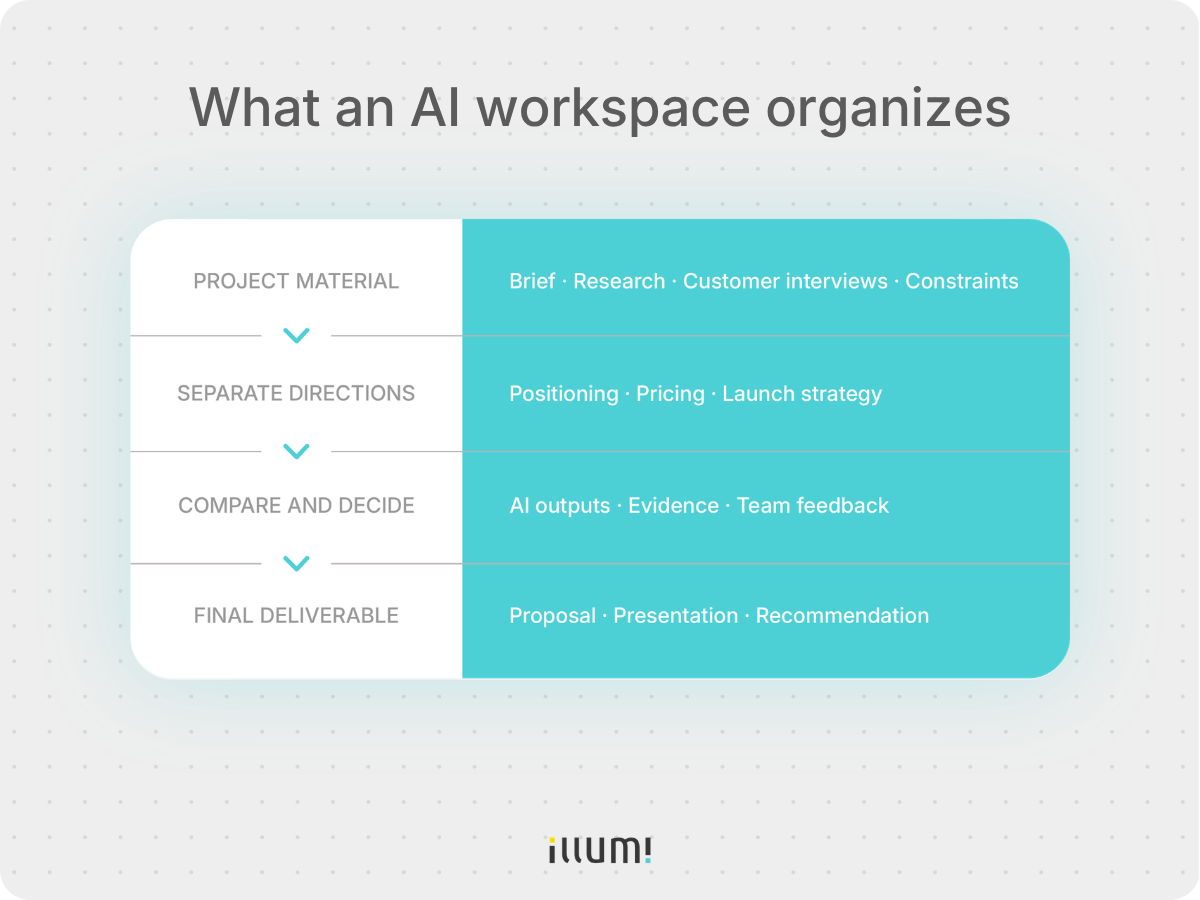
An AI workspace uses the project—not the conversation—as its main container. It does more than place several AI chats inside one folder.
The customer evidence, possible directions, feedback, decisions, and final deliverable remain separate parts of the product-launch project, but the relationships between them stay visible.
You can open the project and see which evidence shaped a direction, which options were rejected, and which work is still moving forward.
An AI workspace doesn't automatically produce better answers. It structures the material and AI outputs that the project depends on.
This project-first structure is also how illumi, an AI-powered visual workspace, organizes collaborative work.
The real test of an AI workspace is whether it helps the project move forward.
Let's go back to the product launch.
You need to bring in the customer evidence, then leave room to explore more than one direction without mixing them together. If you use different AI models, each one needs access to the right project material.
Then you need to compare what came back.
Which recommendation fits the customer interviews? Which one ignores the budget limit? Which useful idea should be carried into the proposal even if the rest of that AI output is rejected?
Finally, you need to turn the selected work into a deliverable.
Here's what an AI workspace needs to do:
These jobs all serve the same purpose: helping you manage one project rather than a collection of unrelated AI responses.
AI workspaces don't make AI chat obsolete.
Sometimes you need a quick answer. You want to check a formula, rewrite a paragraph, or understand a term. Opening a full project would add structure the task does not need.
The choice depends on what happens after the first answer.
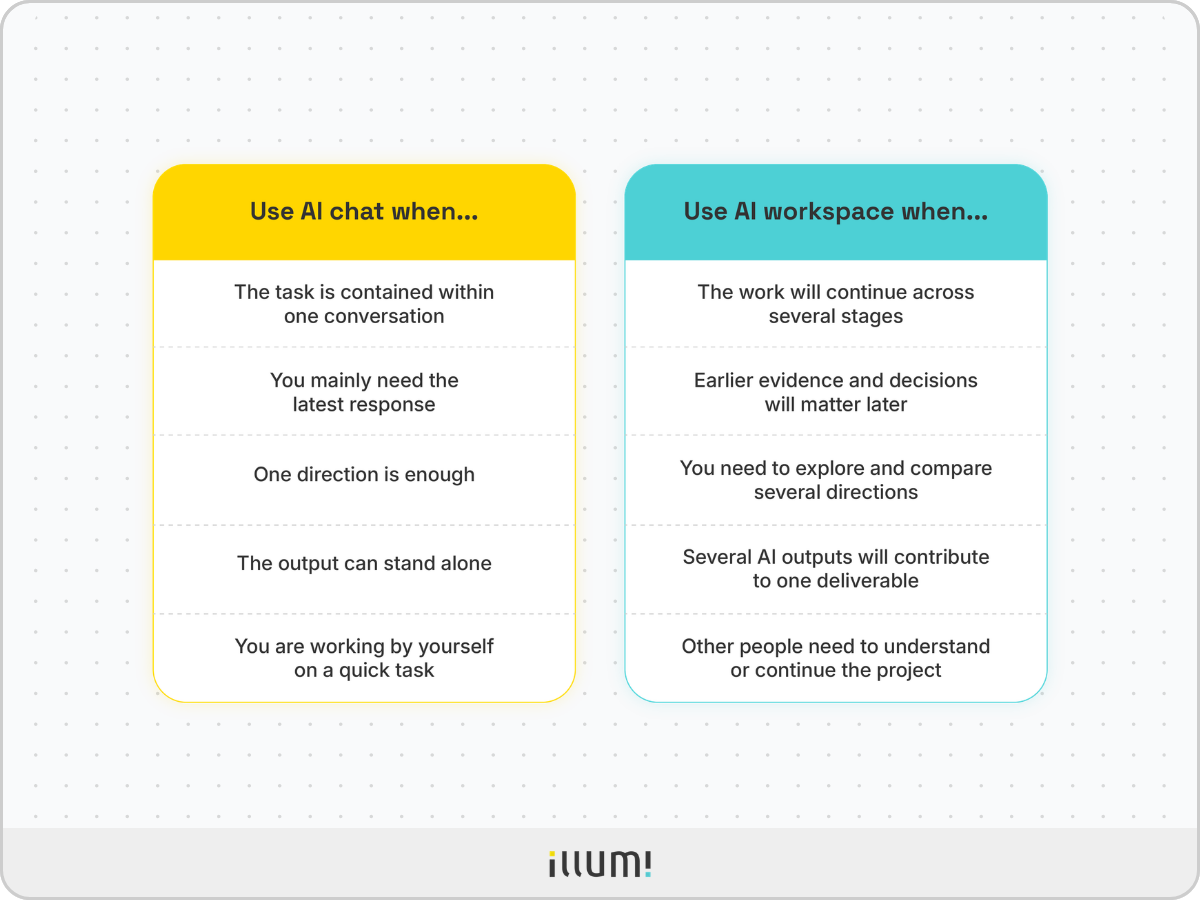
If the answer completes the task, AI chat may be enough.
If the answer becomes part of a larger project, an AI workspace becomes more useful.
So what does a project-first structure look like in practice?
Imagine the Sales team reviews your product-launch plan and raises a new concern: the recommended positioning may work for enterprise customers, but it doesn't address the needs of smaller teams.
In AI chat, you have to reopen several conversations to piece together what this feedback affects.
In illumi, the work stays inside the product-launch project.
You can return to the positioning direction and review it alongside the customer evidence that shaped it. The pricing and launch-strategy directions remain separate, so changing the positioning doesn't mean restarting the entire project.
You can then give the same project material and new Sales feedback to ChatGPT, Claude, and Gemini. Their responses sit side by side, so you can start with the question that actually matters: Did each model address the concern about smaller teams?
Once you choose a direction, the supporting customer evidence and positioning recommendation move into the final proposal together. A teammate can still see which evidence led to that choice.
That's how illumi organizes AI work around the project: the work can change without its history disappearing.
AI chat made it easy to ask a question and receive an answer.
That still matters. But an ongoing project asks for more.
You have to organize project material, explore possible directions, respond to feedback, make decisions, and finish a deliverable. No single AI response represents all of that work.
That is why complex projects need more than AI chat.
The conversation remains part of the interface. It is simply no longer the whole structure.
AI chat organizes the next response. An AI workspace organizes the project that response belongs to.
illumi Inc. © 2026
