
August 5, 2026
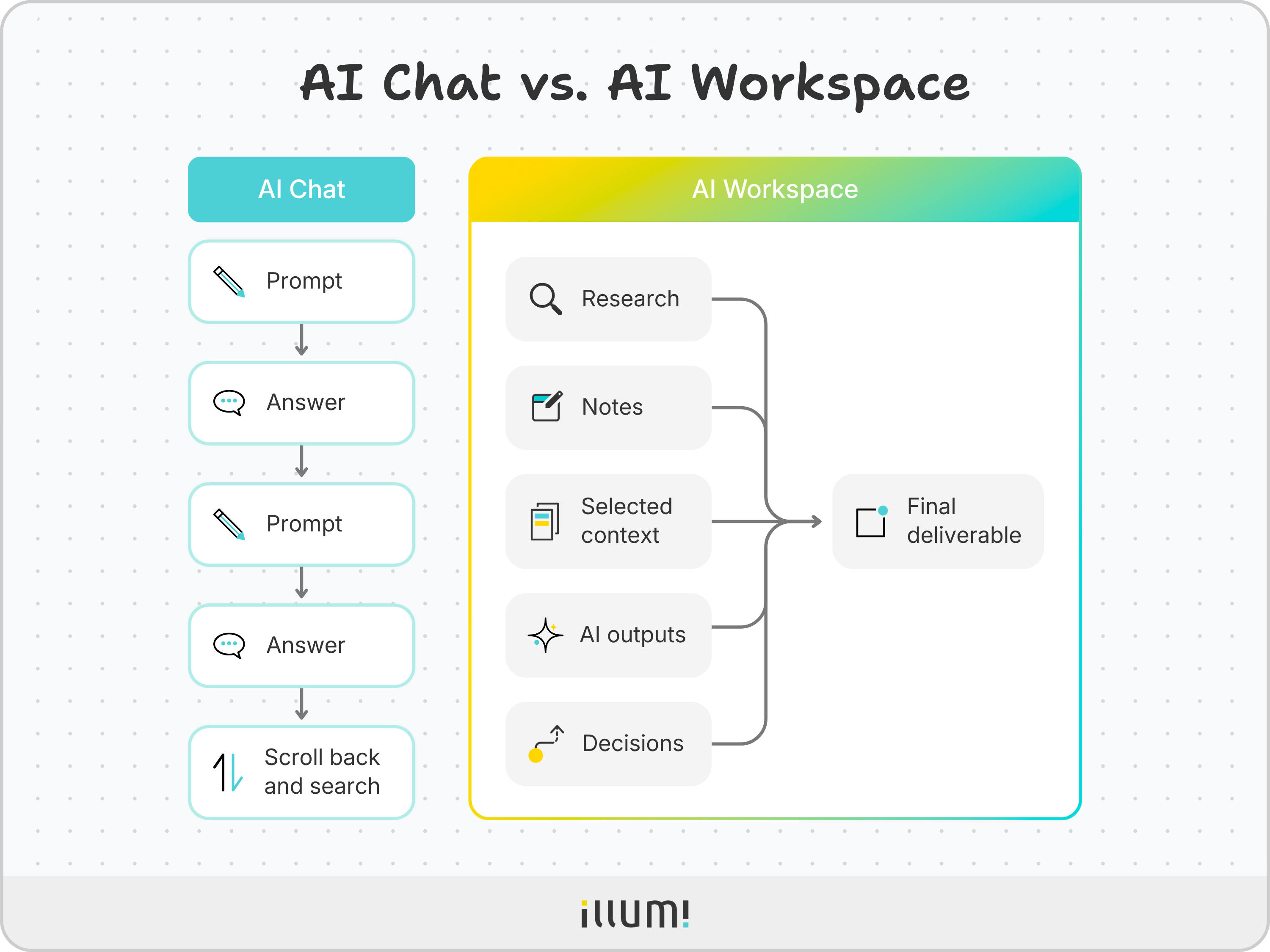
AI chat makes it easy to generate an answer. You can summarize research, brainstorm ideas, analyze a document, or draft a proposal in seconds.
But that's rarely where complex work ends.
With complex work, you start with one question. Then the research grows. New evidence challenges your first assumption. Another possible explanation emerges. Feedback arrives.
Now you need to compare different directions without losing the work you've already done.
The distinction is simple: AI chat is organized around a conversation. An AI workspace is organized around the project.
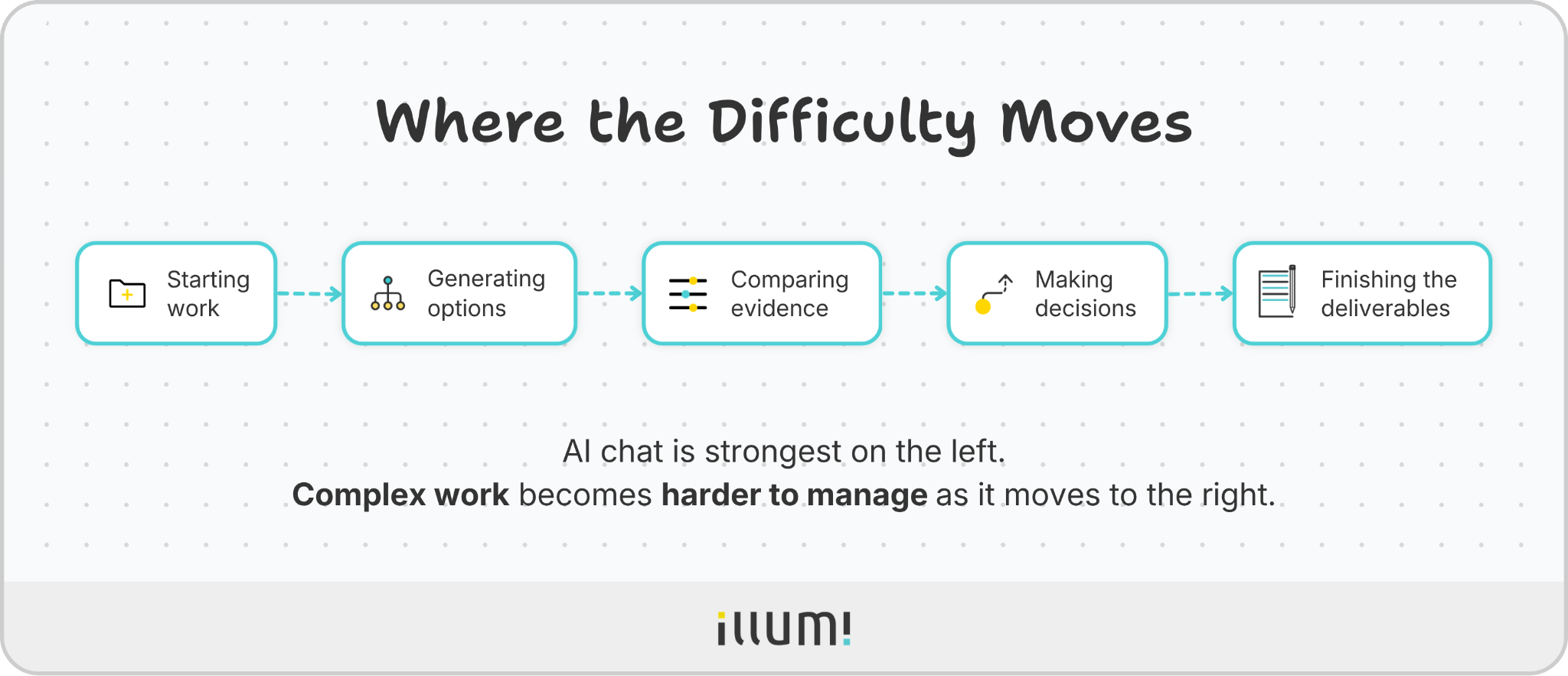
And research supports this distinction: AI delivers the greatest gains on clearly defined tasks.
But managing the work around those tasks is a different challenge.
So the next challenge isn't getting AI to produce more. It's giving the complex work
a place to develop over time.
An AI workspace keeps the work behind a project connected as it develops.
Instead of treating every AI interaction as a separate conversation, it keeps the work connected as research, notes, files, AI prompts, outputs, feedback, and decisions.
In AI chat, the project develops inside a conversation.
In an AI workspace, the conversation is one part of the project.

The goal isn't simply to store more information.
It's to keep the right information connected to the right task, so the project stays organized as it grows.
Instead of burying work inside one long conversation, an AI workspace gives the project a visible structure that people and AI can build on together.
AI chat isn't bad at complex work because the AI can't produce useful answers.
The problem is the conversation.
A conversation moves in one direction. A complex project doesn't.
A complex project grows, branches, changes, and collects more information over time.
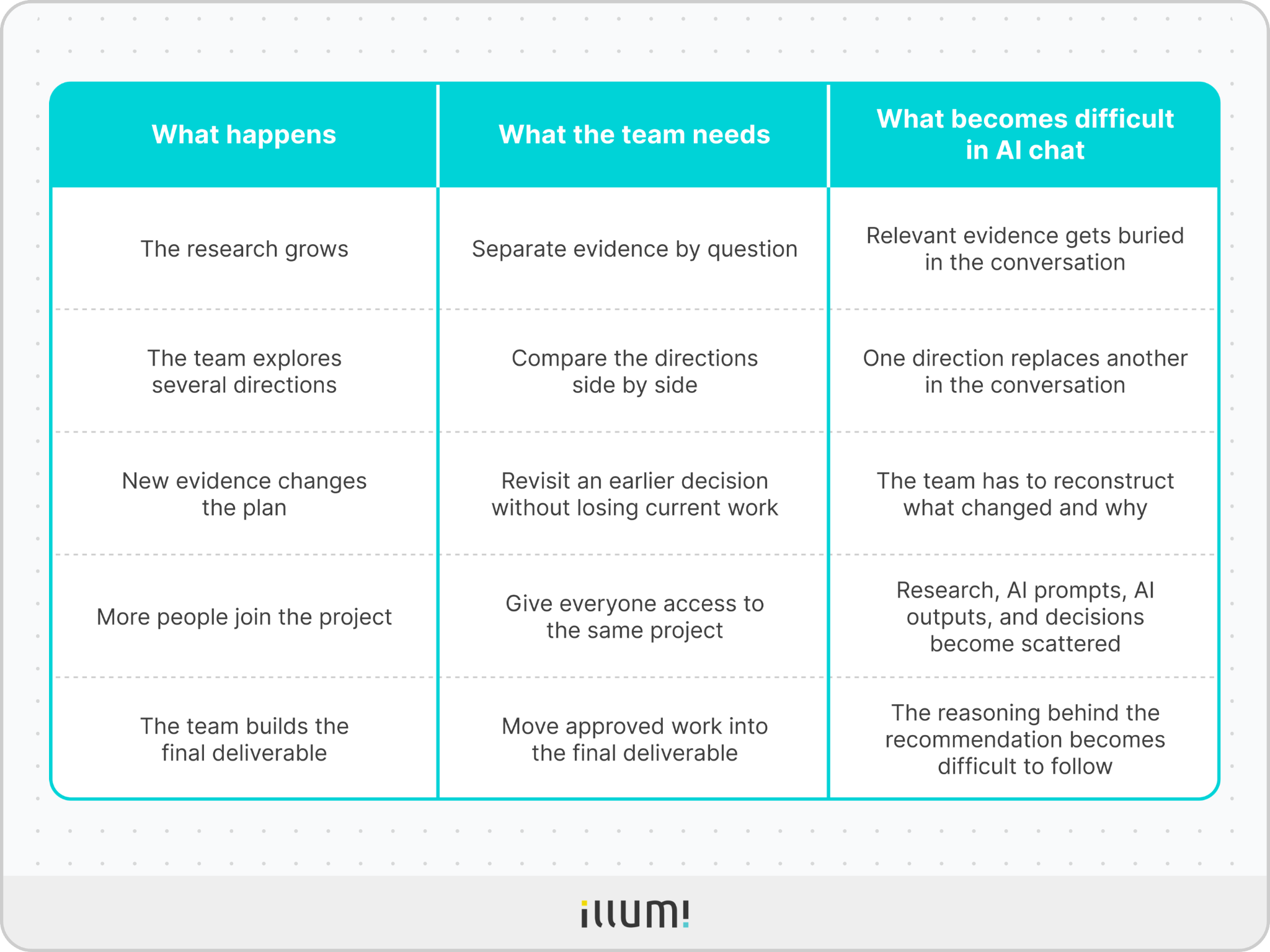
A market analysis, pricing recommendation, and client presentation may belong to the same project. But they don't need the same context.
The market analysis needs market research.
The pricing recommendation needs pricing data.
The client presentation needs the strongest findings from both.
In AI chat, each new prompt sits inside the same conversation. As the conversation grows, it becomes harder to control which information should shape the next AI output.
An AI workspace lets the team choose the context for each task.
The team can give the pricing task pricing data.
It can give the customer task interview notes.
It can give the final recommendation the strongest findings from both tasks.
Takeaway: More context isn't always better. The useful question is: "What context does this task actually need?"
Imagine a consulting team trying to explain why a client's revenue is falling. The team may explore three possible causes:
Each direction needs to be explored before the team can decide which explanation best fits the evidence.
In one conversation, these directions quickly mix together. The team may lose track of which evidence supports which direction.
An AI workspace lets each direction develop separately while keeping it connected to the same project.
Research on separating different lines of exploration found that this approach can improve focus during complex work. In one experiment, separating the different directions reduced the amount of context carried forward by 58.1%.
Takeaway: Teams should be able to explore a different direction without turning the main project into a maze.
AI can produce multiple possible options quickly. But producing options is not the same as choosing the right one.
The team still needs to ask:
That comparison becomes difficult when each new AI output appears below the last one in the same conversation. The latest AI output can feel like the "final answer" simply because it's the easiest one to see.
An AI workspace lets the team compare AI outputs side by side, whether they're from different prompts, approaches, or AI models. The team can then decide which ideas are strong enough to keep.
Takeaway: AI produces options. People decide what matters.
A teammate shouldn't need a verbal tour through six AI chat conversations to understand why the team chose one direction over another.
That usually happens when the evidence lives in one AI chat conversation. Feedback lives in another. Earlier ideas are buried somewhere else.
An AI workspace keeps the decision connected to:
This also makes collaboration easier.
Takeaway: The decision matters. But the evidence behind the decision matters too.
AI can draft part of a report, summarize a source, and even suggest options for a presentation.
But the team still needs to choose the strongest work and turn it into a report, proposal, presentation, or other final deliverable.
In a field experiment involving more than 7,000 knowledge workers across 66 companies, access to AI reduced the time people spent on email. But it didn't significantly change the overall mix of their main tasks.
In other words: AI made parts of the work faster. It didn't automatically move the entire project forward.
An AI workspace helps close that gap. It keeps approved project material connected as the work moves from research to recommendation to final deliverable.
Takeaway: The goal is reaching a final deliverable that's ready to use, not just another AI output.

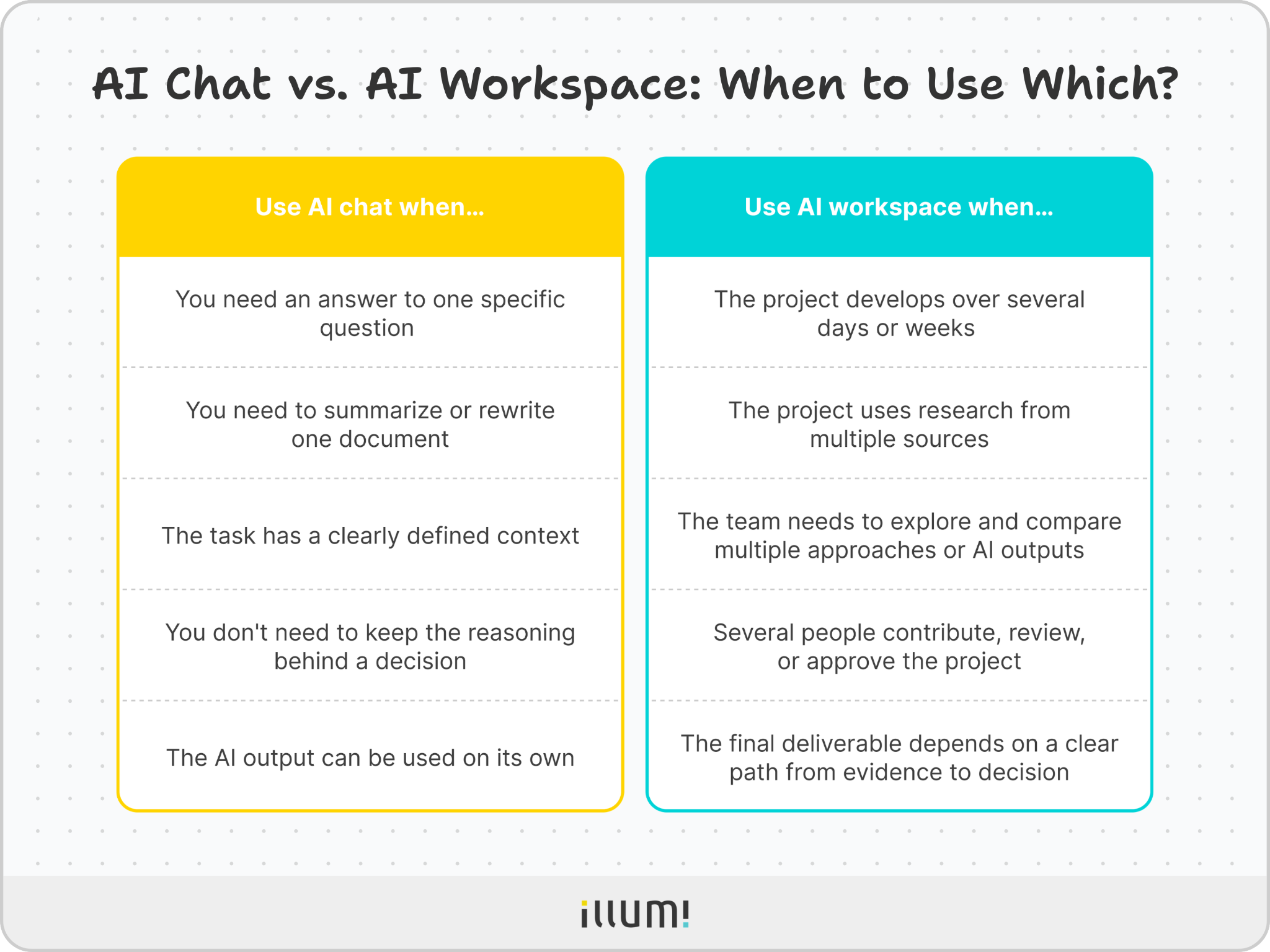
Takeaway: AI chat is enough when the task is self-contained. An AI workspace becomes more valuable when the project needs to stay organized as it grows.
An AI workspace is only useful if it supports the way complex projects actually develop.
illumi is built around that process.
Instead of treating every AI interaction as a separate conversation, illumi keeps the work connected as it moves from research to finished deliverable.
Teams can organize the project context in one place, explore different directions, compare AI outputs from different AI models, and carry the strongest ideas forward without losing the reasoning behind them.
The result is a workflow that develops naturally from messy inputs to a finished outcome, rather than a collection of disconnected AI conversations.

Complex work doesn't end with the first AI output.
Research, comparison, revision, and decisions shape it before it becomes ready to share.
And that's where an AI workspace makes the difference.
It keeps the full project connected as it develops from early research to final deliverable.
The distinction is simple: AI chat helps you generate an answer. An AI workspace helps you finish the work.
illumi Inc. © 2026
