
September 4, 2026
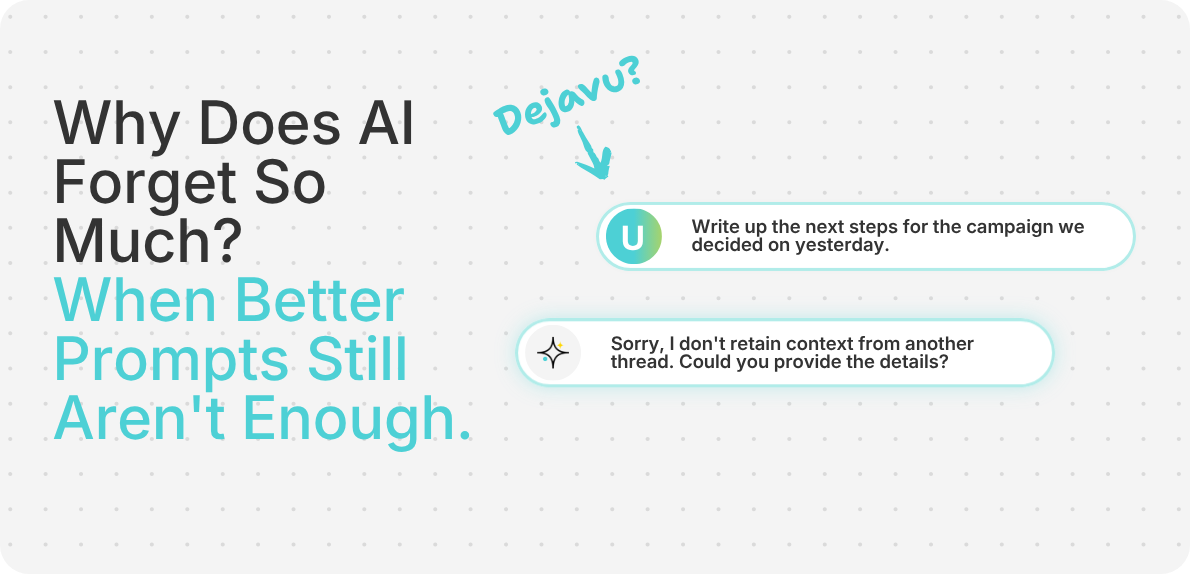
You know you told your AI about this. You're 100% sure of it.
On Monday, you laid out the whole setup in the AI chat: the client brief, the tight deadline, and the three customer segments your team was considering.
By Tuesday, new customer feedback killed Segment A. Wednesday brought a new constraint from the client. By Thursday, your team finally picked Segment B and moved on.
Then on Friday, you ask AI to write up the next step.
And what does it send back? A full plan built entirely around Segment A. The exact option you killed on Tuesday.
Your first instinct is to blame the prompt: "Maybe I wasn't clear enough. Maybe I need to give it a role."
So you try the standard fix: "Act as a world-class strategist..."
Sometimes that changes the output just enough to sound useful. But no amount of rewriting the prompt can give AI project context it doesn't have.
Your team has lived through the project step by step.
You remember the customer call that changed your direction. You remember why you rejected that first idea. You know that a "small" request from the client is a non-negotiable rule now.
AI doesn't carry that project history with it automatically. It doesn't pull every past decision into every new AI chat.
Instead, AI works inside what's called a "context window": the information available to the model when it generates a response. Think of this as its short-term memory.
But having information inside that window doesn't mean AI will use every detail equally well. Research has found that language models can struggle to use relevant information when it's buried within a long context, particularly when that information appears in the middle rather than at the beginning or end.
That's a problem when a project has developed across dozens of conversations, decisions, and changes.
The tricky part is that AI doesn't usually tell you when an earlier decision is no longer shaping the answer. It just keeps responding.
That's how a project can drift back toward an old direction without warning.
The answer may sound completely reasonable on its own, while being completely out of touch with where your project actually stands today.
Prompts and context handle two entirely different jobs:
A better prompt can change how an AI writes or structures an answer. But it can't pull in a key decision AI was never given.
For example, look at this prompt:
"Recommend the strongest launch opportunity based on market size, urgency, sales-cycle length, and willingness to pay."
That's a great prompt. It's clear, detailed, and specific.
But if AI doesn't know your team dropped Segment A on Tuesday because the sales cycle is too long, it can still argue your best option for a launch opportunity is Segment A.
The issue isn't that you wrote a bad prompt. AI was just working from outdated project context.
When we give AI more context, we usually start by giving it more files: the brief, the spreadsheet, the meeting transcript.
Files help, but some of the most important project decisions don't live inside a 20-page document.
They happen in quick, real-time moments between those files:
A single sentence like "We dropped Segment A" can carry more practical weight than a 20-page deck. If that sentence isn't part of the project context, AI misses the human decision that changed the project.
Project context can include:
.png)
Project context isn't just the information you started with. It's also what your team learned, changed, ruled out, and decided along the way.
At this point, you might be thinking: "Fine. I'll just dump everything into the AI chat so it knows everything."
It's tempting to feed AI every brief, meeting transcript, spreadsheet, and half-baked draft you have. But give AI everything at once, and the useful information starts competing with material the task doesn't need.
The better approach isn't to give AI everything. It's to give it the relevant part of your project context for the task in front of it.
Let's go back to that launch opportunity example. Your team has gathered data on three customer segments:
Segment A has the biggest market, but you've already ruled it out because the six-month sales cycle is too slow for the launch timeline.
On Friday, you ask AI: "Which customer segment should we target for launch?"
If AI only sees the market-size data, Segment A might look like the obvious recommendation.
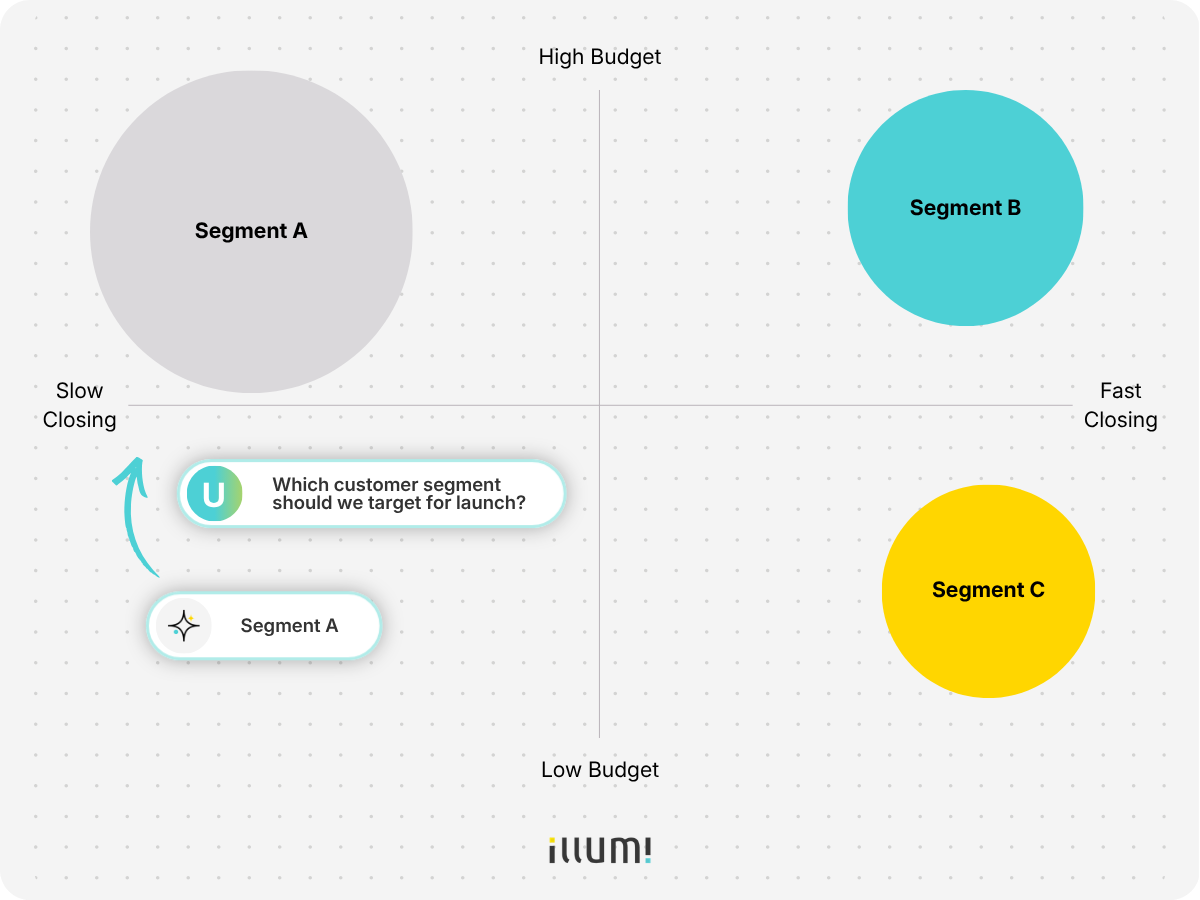
But if it knows you've already ruled out Segment A, why you ruled it out, and what the current launch timeline looks like, it can work from where the project stands now instead of reopening an old debate.
What counts as useful context changes with the task. Here's how to line them up:
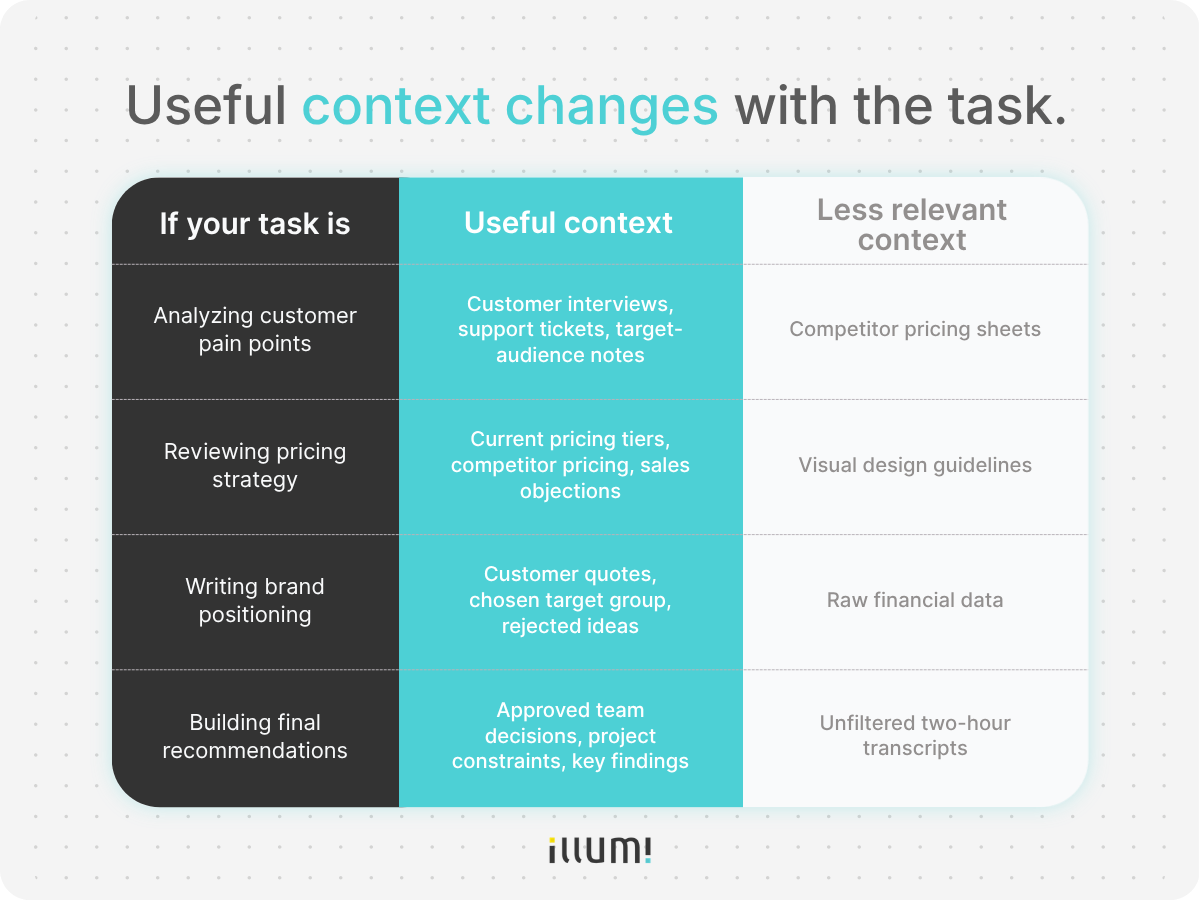
Good context management means keeping the project context connected, then pulling forward what's relevant to the task in front of you.
That becomes so much easier when everything lives in a single AI workspace instead of being scattered across separate documents and AI chats.
And the same principle applies when you switch between AI models.
Sometimes an AI answer isn't what you expect it to be, so you decide to switch models.
ChatGPT not working? You open Claude in another tab.
Claude stumbles? You try Gemini.
That's useful when you want to compare different models. Maybe you want to see how they each approach the same problem, how they reason through it, or what kind of output they produce.
But the problem is that when you switch models, you often have to rebuild the context too. The customer interviews you gave ChatGPT, the project brief sitting in Claude, and the decision you discussed with Gemini don't automatically follow you from one model to the next.
So when you compare the outputs, you're not always comparing the models. You're comparing different versions of the project.
For a fair comparison, each model needs the same project context.
That's one reason illumi supports multiple AI models inside the same visual AI workspace. Your project context stays in one place, so you can compare ChatGPT, Claude, Gemini, and other models without rebuilding the whole project each time.
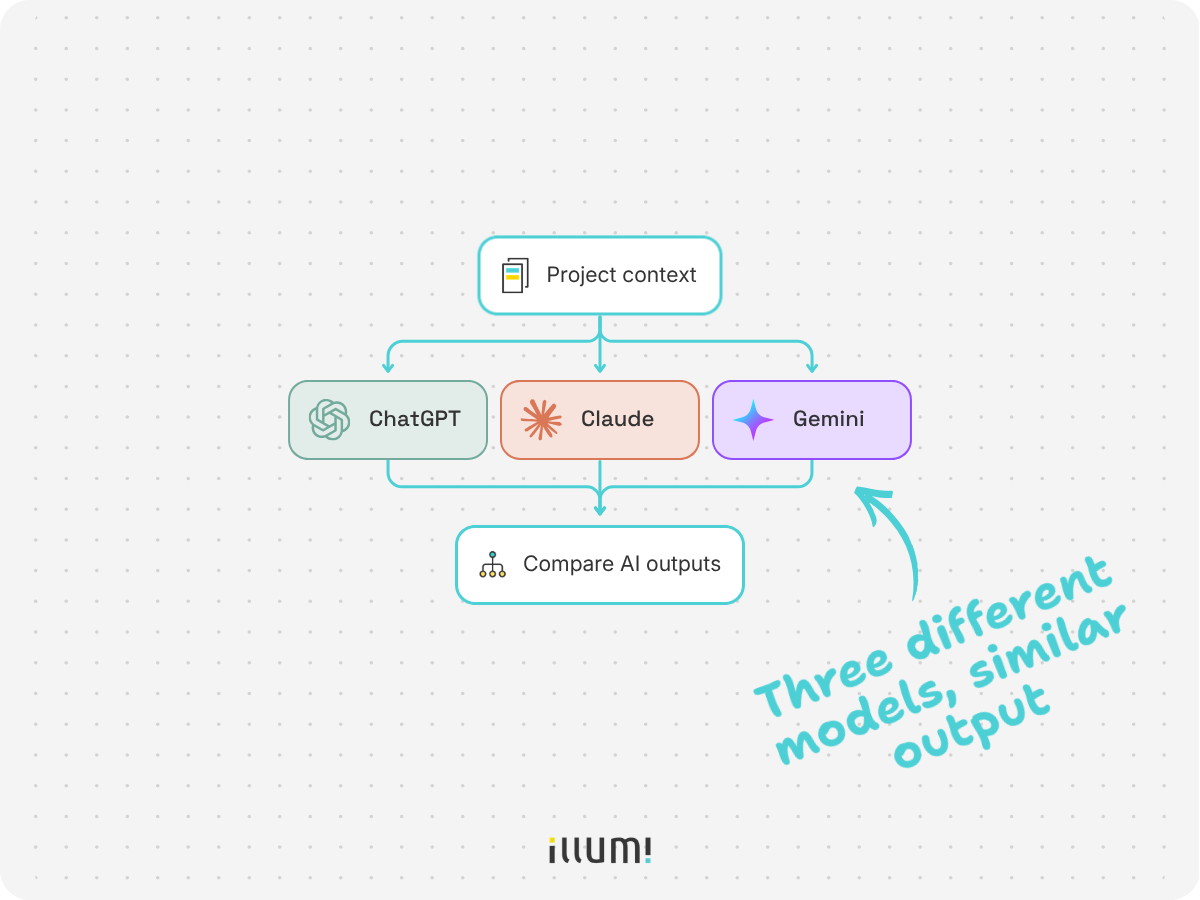
Now you're comparing the AI models, not three different versions of the project.
illumi is designed to keep the context around a project connected as the work moves forward.
Going back to the example we've been using, that could mean keeping the original customer research alongside the decision to rule out Segment A, why you ruled it out, new client constraints, and the AI work that came after.
As new research, feedback, and decisions come in, they can stay connected to the project instead of getting scattered across different AI chats and documents.
Then, when the next task comes up, you can pull in the parts of the project context that actually matter without rebuilding everything from scratch.
And because illumi supports different AI models in the same workspace, you don't have to rebuild that context every time you switch models either.
Prompts tell AI what to do. Project context gives AI what it needs to know.
So the next time AI brings back an idea your team ruled out three days ago, maybe you don't need another round of prompt engineering.
Maybe the AI just needs to know what happened since the last time you asked.
.png)

illumi Inc. © 2026
